🏠 Home›My account›How do I delete a contact or my customer account?
How do I delete a contact or my customer account?
From "Mes contacts / Mes cartes", using the trash icon 🗑️ — only once the subscription has ended.
💡
Good to know: "Résilier" (cancel) stops the automatic renewal, but the contact stays subscribed until September 30. The trash icon only appears after that, in the "Sans abonnement" section.
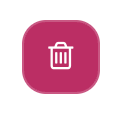
The trash icon, next to each contact without a subscription.
🗑️ Delete a contact
1
Open "Mes contacts / Mes cartes"
In your customer area on passemontagne.fr.
2
Click the trash icon next to the contact
In the Sans abonnement section.
3
Confirm
Their cards, credits, documents and discount codes are erased.
👤 Delete my customer account
1
Delete all the other contacts
One by one, as above.
2
Click the trash icon next to the account holder
It appears next to your name once you are the only contact left.
3
Confirm
You are logged out: the account is deleted.
⚠️
Deleting the account is irreversible. Your personal information, rewards balance and access to invoices are gone. Download your invoices first.
Need help? Our customer service can do it for you: contact form or +33 4 56 64 99 77.
Related articles
How can I know if a skier is subscribed or not?I would like to download an invoice