🏠 Home›My account›How can I assign ski pass card numbers to a skier?
How can I assign ski pass card numbers to a skier?
You can assign card numbers when making your first ski pass purchase.
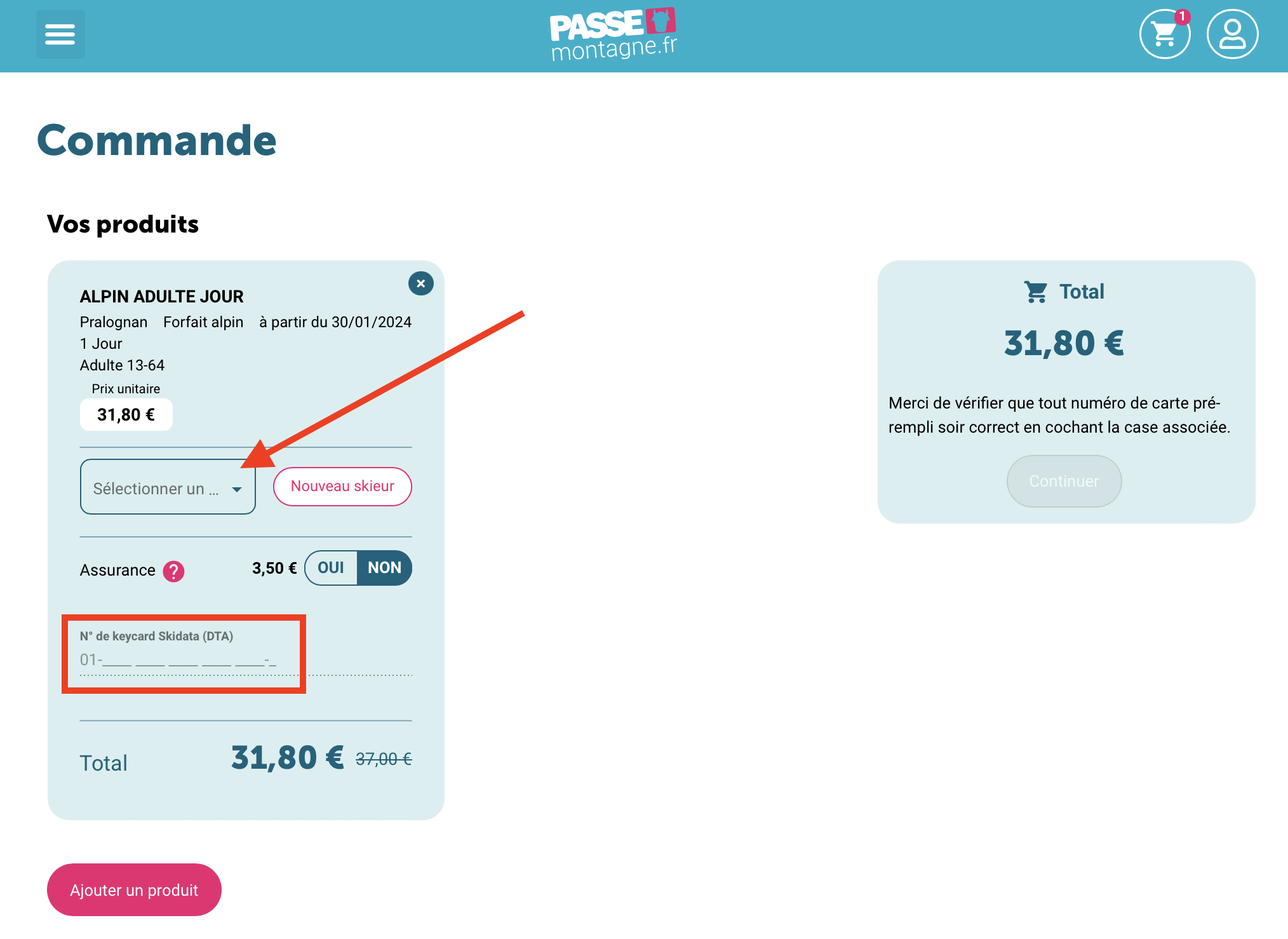
Option 1 — During your first order
When placing your first ski pass order for a skier, you can directly enter a card number compatible with the resort (Skidata, TeamAxess, Alfi, etc.). The number will be automatically assigned to the skier once the order is confirmed.
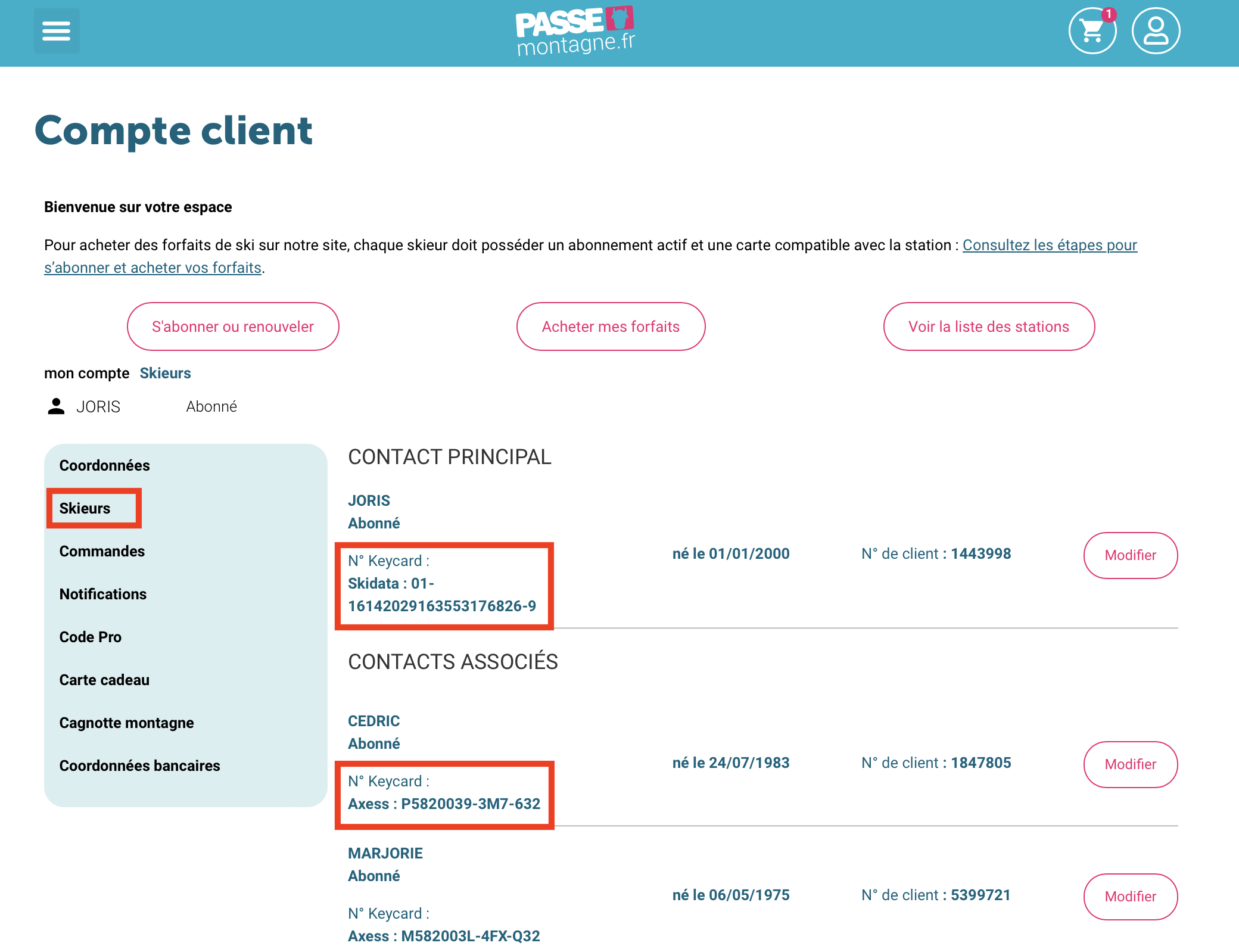
Option 2 — From your customer account
Go to your customer account → “Skiers” tab, then click Edit to add or modify card numbers (Skidata, TeamAxess, Alfi). All saved card numbers will be visible in this section.
Check the list of compatible cards by resort.